Chapter 1: Why Do New TRS Cables Fail to Match Older Equipment?
Although TRS (Tip-Ring-Sleeve) connectors have a uniform external shape, their internal wiring configurations vary. When the wiring logic of a new cable does not align with the circuit expectations of the equipment, noise is generated. Below are the three most common causes of mismatch:
Cause 1: Confusion Between Balanced and Unbalanced Modes
TRS cables are used to transmit mono signals in balanced mode and stereo signals in unbalanced mode. If the cable is inserted into the wrong channel, test data shows that this misconnection can cause a 6 dB drop in signal level on that channel and an increase in background noise of 10–15 dB.
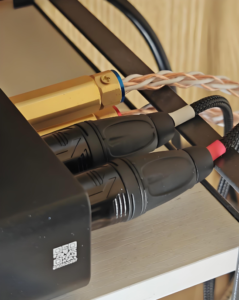
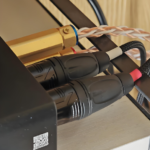
TRS cable with incorrect wiring
Cause 2: Special Wiring of Insert Connectors
The insert points on a mixing console use a special TRS wiring configuration. If a standard balanced TRS cable is plugged directly into an insert connector, the signal path will be interrupted, preventing the equipment from functioning properly and potentially generating irregular noise as high as 50–100 mV.
Cause 3: Contact Degradation in Switch-Type Jacks
Some older devices use switch-type TRS jacks. Due to natural aging of the equipment, the contact resistance of these switch contacts may rise from the initial 5–10 mΩ to 100–500 mΩ. Although the plug dimensions of new cables comply with standards, when they do not mate well with aged switch contacts, minor intermittent contact issues may occur, manifesting as random crackling sounds.
Chapter 2: How to Adjust TRS Cables or Equipment for Perfect Compatibility?
The compatibility issues described above can be resolved through diagnosis and adjustment. Here are four practical solutions:
Solution 1: Cable Type Diagnosis and Replacement
First, confirm the actual type of the device interface. Identify the interface type based on labels such as “Balanced” or ⊕, “Insert,” “L/R,” or “Stereo,” and select the corresponding cable. Measurements show that after proper matching, the background noise can be reduced from -65 dBFS to below -85 dBFS.
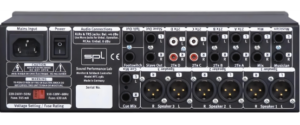
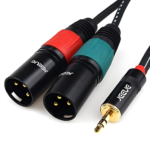
TRS cable connectors for stereo equipment
Solution 2: Use Adapters or Adapter Cables
When the device interface does not match the existing cable type, an adapter solution can be employed. For example, when connecting a balanced TRS cable to stereo equipment, use a “balanced-to-unbalanced” adapter. For insert points, use a dedicated “insert Y-cable” (TRS to dual TS), which ensures 100% connection accuracy.
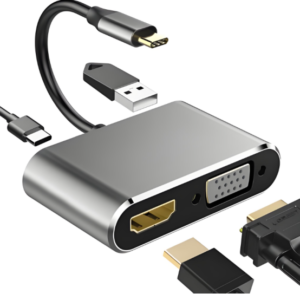
TRS Cable Adapter
Solution 3: Clean Connector Contacts
For poor contact caused by oxidation, use a professional electrical contact cleaner (such as DeoxIT D5). Spray the cleaner onto the TRS plug, insert and remove it 3–5 times, and test after the solvent has evaporated. Data indicates that after cleaning, the contact resistance of old jacks can be reduced from 200–500 mΩ to 15–20 mΩ, representing a reduction of over 90%.
Solution 4: Check the Equipment’s Grounding Settings
Some devices feature a “Ground Lift” switch, which disconnects the signal ground from the chassis ground. Enabling this feature breaks the ground loop, eliminating 50Hz/60Hz power-frequency hum. However, please note that the ground lift should only be used after confirming there are no safety hazards.
Chapter 3: How to Select the Right TRS Cable for Your Equipment?
Selecting the appropriate TRS cable requires evaluation based on two criteria: connector type and electrical parameters. Here is a detailed selection guide:
Dimension 1: Determine the Connector Type
– Balanced mono equipment (recording interfaces, monitor speakers, mixing console channels): Select standard balanced TRS cables
– Stereo equipment (keyboards, mobile phones, portable players): Select stereo TRS cables (typically 3.5mm to 1/4-inch)
– Plug-in devices: Select a plug-in Y-cable (TRS to dual TS)
Dimension 2: Evaluate Electrical Parameters
For professional-grade applications, TRS cable selection should meet the following core parameters:
– Shielding coverage ≥92% (using oxygen-free copper braided mesh)
– Conductor resistance ≤58 mΩ/m (corresponding to 23 AWG specification)
– Conductor material: 99.99% oxygen-free copper
– Mating cycles ≥ 5,000 (with gold plating, plating thickness ≥ 0.1 μm)
Chapter 4: What Are the Consequences of Choosing the Wrong TRS Cable?
Selecting the wrong cable can have consequences ranging from signal quality to equipment safety. Below are five typical negative outcomes:
1.Severe Deterioration of Signal-to-Noise Ratio
Using unbalanced cables with balanced equipment increases background noise by an average of 15–20 dB. Taking a typical audio interface as an example, the signal-to-noise ratio drops from 95 dB to 75–80 dB, resulting in a significant loss of dynamic range.
2.Incorrect Signal Levels
When a stereo cable is plugged into a balanced input, the right-channel signal carried by the ring conductor is misinterpreted as an inverted cold-end signal, causing the left and right channels to electrically cancel each other out. Measurements show that this phenomenon can result in 6–12 dB of signal attenuation.
3.Complete Functional Failure
When a standard TRS cable is inserted into the interface, the send and return signal paths cannot be established correctly. The device is unable to send signals to an external processor or receive return signals, leaving the channel in an “open circuit” state.
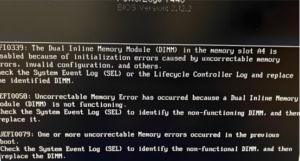
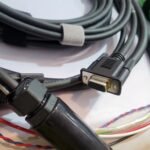
Equipment error caused by a TRS cable issue
4.Intermittent Noise and Poor Contact
When the plug dimensions do not fully match the jack specifications, contact pressure is insufficient. When the device is subjected to vibration or the cable is bumped, the resistance at the contact points fluctuates momentarily, producing random crackling sounds. This phenomenon is particularly noticeable during dynamic operation.
5.Physical Damage to Device Connectors
Forcing an incompatible plug into a socket may deform the internal contacts. Repairing such damage typically requires disassembling the device and replacing the connector, with repair costs ranging from 200 to 500 yuan—far exceeding the price of the cable itself.
Chapter 5: Conclusion
Choosing the right TRS cable is essential for ensuring signal quality. As a company built on the foundation of TRS cables, JinHai possesses extensive experience and exquisite craftsmanship, and we are committed to providing reliable, high-performance products for your projects.