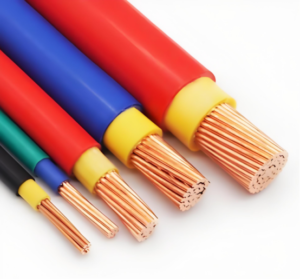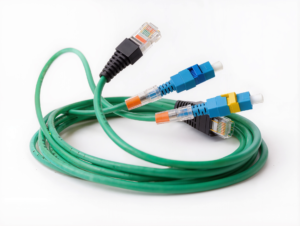
JinHai, a professional cable harness manufacturer, provides the most comprehensive computer cable selection guide—covering everything from manufacturing processes to application scenarios.
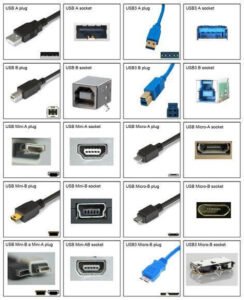
Chapter 1: Computer Cables—Bandwidth and Resolution of Display Interface Cables
Display interface cables represent the most visible component for users. With the proliferation of 4K, 8K, and even high-refresh-rate monitors, cable transmission bandwidth has become the primary bottleneck.
HDMI
HDMI is currently the most prevalent interface in consumer electronics, widely used in monitors, televisions, and projectors.
- Key Version Differences:
- HDMI 1.4: Supports 4K@30Hz, now phased out and used only for basic office applications.
- HDMI 2.0: Supports 4K@60Hz, the current mainstream standard.
- HDMI 2.1: Bandwidth increases to 48Gbps, supporting 4K@120Hz and even 8K@60Hz. Standard for high-end graphics cards and next-gen gaming consoles.
- Manufacturing Pain Points: Many inexpensive HDMI cables experience signal attenuation during long-distance transmission (over 5 meters). JinHai recommends using fiber optic HDMI (AOC) or thicker shielding for long-distance applications.

DisplayPort (DP)
In PC gaming and professional design fields, DP ports often outperform HDMI.
- Advantages: Supports multi-stream transmission, allowing a single cable to connect multiple displays. Additionally, DP typically features a physical locking mechanism to prevent accidental disconnection, crucial in industrial vibration environments.
- DP 1.4 vs DP 2.0: While DP 2.0 offers up to 80Gbps bandwidth, DP 1.4 (supporting 32.4Gbps) remains the market standard, sufficient for most high refresh rate requirements.
DVI & VGA
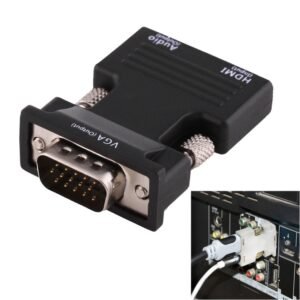
Although these analog (VGA) and early digital (DVI) interfaces are fading, they persist in many legacy industrial PCs (IPCs) or medical devices. As a custom manufacturer, we maintain production lines for these traditional cables in specialized industries but recommend avoiding them in new project designs.
Display interface cables solve the display problem, enabling devices to transmit visual content without loss. Data transmission cables are also required.
Chapter 2: Computer Cables—Unifying Data Interface Cables
The evolution of USB mirrors the advancement of electronic devices. However, its complex naming conventions often confuse buyers.
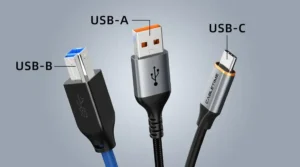
USB Type-A & Type-B
The classic rectangular connectors. Type-A is commonly found on computer hosts, while Type-B is typical for printers and scanners.
- USB 2.0 vs 3.0: Easily distinguished by color—black connectors typically indicate 2.0 (480Mbps), while blue connectors denote 3.0 (5Gbps). In manufacturing, USB 3.0 cables incorporate two additional pairs of high-speed differential signal wires, often with thicker wire gauges.
USB Type-C: The Dual Nature of a Universal Player
Type-C refers solely to the connector’s physical shape (Form Factor); the underlying protocol is crucial.
- Data Transfer: May support only USB 2.0 speeds or extend to USB4 (40Gbps).
- PD: Premium Type-C cables incorporate E-Marker chips for negotiating voltage/current, enabling charging power up to 100W or even 240W (PD 3.1).
- Thunderbolt: Both Thunderbolt 3 and Thunderbolt 4 utilize Type-C connectors, but demand extremely high electrical performance from cables, requiring rigorous certification.
JinHai Manufacturing: To handle high currents, Type-C cables use thicker tinned copper cores reinforced with tensile fibers for enhanced durability.
Chapter 3: Computer Cables—Network Connectivity: Speed and Interference Resistance
Despite widespread Wi-Fi adoption, wired Ethernet remains the cornerstone of stable enterprise connectivity.
Generational Evolution of Cable Categories
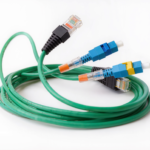
- Cat5e: Supports 1Gbps. Suitable for basic home wiring but performs poorly in high-interference environments.
- Cat6: Supports 1Gbps to 10Gbps (short distances). Features a central cross-skeleton to isolate pairs and reduce crosstalk.
- Cat6a: Full 10Gbps support, typically with shielding.
- Cat7 & Cat8: Designed for data centers, supporting 25Gbps-40Gbps with robust full shielding.
Importance of Shielding: UTP vs. STP
- UTP (Unshielded Twisted Pair): Lightweight, cost-effective, suitable for homes.
- STP/SFTP (Shielded Twisted Pair): Features aluminum foil wrapping around each pair, with an overall braided shield.
- Application Scenario: In factory workshops, motors and inverters generate significant electromagnetic interference (EMI). Using standard UTP cables may cause frequent packet loss. In such cases, high-specification SFTP industrial cables from JinHai are essential.

Chapter 4: Computer Cables—Internal PC Component Cables
Internal harnesses connect the motherboard, power supply, hard drives, and graphics cards. These cables often require customization based on chassis space.
Power Supply Unit (PSU) Cables
- ATX 24-Pin: Primary power connector for the motherboard.
- EPS 8-Pin: CPU power supply cable.
- PCIe 6+2 Pin / 12VHPWR: Graphics card power supply cable. Particularly with the advent of RTX 40 series cards, the new 12VHPWR (16-Pin) connector demands exceptionally high crimping quality. Poor contact can easily cause connector burnout.
Storage Device Cables
- SATA Data & Power: Connects SSDs or mechanical hard drives. While M.2 interfaces are gaining popularity, SATA remains irreplaceable in high-capacity storage servers.
Front Panel and Fan Cables
Includes USB headers, audio headers, PWM fan cables, and ARGB lighting cables. For OEM clients, JinHai offers integrated cable harness designs that consolidate multiple cables into a single bundle, optimizing airflow and cooling.

Chapter 5: How to Assess Computer Cables Quality?
As a buyer, how can you discern quality beyond appearance? Here are JinHai’s three ironclad quality principles followed on the production line:
Wire Gauge (AWG – American Wire Gauge)
Lower numbers indicate thicker wire cores.
- Inferior cables may use 28AWG or even 30AWG for charging cables, resulting in high resistance, slow charging, and excessive heat generation.
- Premium cables employ 22AWG or 20AWG in critical power circuits to ensure safety during high-current flow.
Contact Plating
All connector contacts must feature gold plating.
- Gold plating thickness: Industrial standards typically require 3μ” to 50μ” gold plating. Gold offers exceptional oxidation resistance, preventing contact resistance degradation from prolonged use.
Shielding Effectiveness
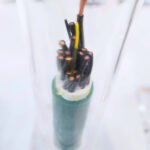
Cutting open a high-quality data cable should reveal three protective layers:
- Aluminum Foil Layer: Protects against high-frequency interference.
- Braided Mesh: Shields against low-frequency interference and provides tensile strength.
- Drain Wire: Discharges induced electrical charges. Inadequate shielding is the primary cause of unstable data transmission.
Conclusion
From HDMI cables connecting displays to USB-C cables carrying high-speed data, to internal power cables maintaining system stability—computer cables are the culmination of precision engineering. The specifications, materials, and craftsmanship of each cable directly impact the user experience and lifespan of end devices.
At JinHai, we don’t just manufacture cable assemblies—we deliver connectivity solutions. Whether you require UL-certified industrial-grade network cables or custom internal module cables with specific lengths and bend radii, our rigorous quality control system (IPC/WHMA-A-620 standard) ensures every delivered cable achieves flawless performance.
Don’t let subpar cables become your system’s bottleneck.
Looking for a reliable cable harness partner? Contact JinHai’s technical team today to get your customized connectivity solution.