Core Principles of VGA to HDMI Conversion
VGA and HDMI represent distinct signal types:
- VGA transmits analog video signals
- Interface: VGA uses analog connectors
- Transmission: VGA provides video transmission only
- HDMI transmits fully digital audio and video signals
- Interface: HDMI is a digital interface
- Transmission: HDMI provides both audio and video transmission simultaneously.

This fundamental difference means connecting an HDMI device to a VGA device cannot be achieved with a simple cable.
To achieve VGA-to-HDMI conversion, an adapter is required to process the transmission format, converting it into digital signals recognizable by HDMI standards.
Successful VGA-to-HDMI conversion essentially involves “translating” analog signals into digital ones. Compared to HDMI direct connections, devices equipped with VGA interfaces offer lower video resolutions.

Can VGA to HDMI converters transmit audio?
This is a common concern among users. The VGA standard itself does not include audio transmission capabilities, so it cannot carry audio signals.
In such cases, to utilize audio support, you need to purchase a separate audio channel cable.
Most VGA-to-HDMI converters on the market offer independent audio input solutions. These converters feature an additional 3.5mm audio input jack.
Users can connect the audio output from their computer or other VGA source device to the converter using a 3.5mm audio cable.
The converter’s internal chip digitizes the input analog audio signal, combines it with the video signal, and outputs both synchronously to the display device via a single HDMI cable.
Selecting a converter with audio input capability is essential for achieving integrated audio-video output.
VGA to HDMI Converter
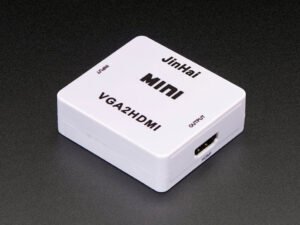
VGA-to-HDMI converters represent the mainstream method for signal conversion.
The VGA-to-HDMI conversion process requires a converter to transmit VGA signals, which converts the VGA analog signals and stereo audio signals into digital signals.
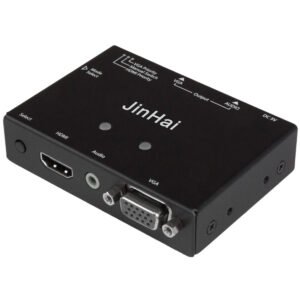
The converter accepts analog signals from a computer or other device, converts these signals into digital format, and transmits them to an HDMI display for interpretation.
Maintaining stable power and signal integrity throughout the conversion process is essential to prevent interruptions.
Most converters automatically adjust video images to match the display’s size and format, including adapting to widescreen resolutions.
A high-quality converter’s internal chip performance directly impacts output quality, with key distinctions including:
- Resolution: Premium chips better process VGA input resolutions and reliably output to HD standards like 1080p at 60Hz.
- Interfaces: Supports any DVI output port.
- Image Quality: Capable of color correction and dynamic color gamut adjustment to minimize color deviation, blurring, or jagged edges.
- Signal Stability: Efficient processing chips effectively prevent black screens, flickering, or intermittent display issues.
- Settings: Converter settings can be automatic or manually adjustable.
- Acceptable connector types include VGA, composite video, component video, or S-video.
VGA Output to HDMI (with Audio Support)
Since the converter does not provide audio, you will need to purchase an additional audio adapter.
Multiple converter options are available to find an audio adapter suitable for your device.
Ensure cables and adapters are compatible with your ports and devices when selecting.
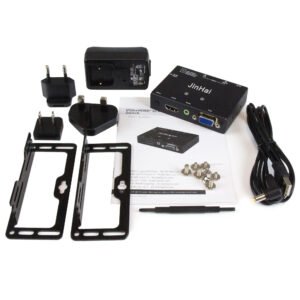
How to Connect VGA Output to HDMI?
Connect the VGA interface to any device using an HDMI device:
- Connect the VGA cable to the device’s VGA output port.
- Plug the other end of the VGA cable into the converter box’s VGA input port.
- Connect the HDMI output to the converter box.
- Plug the HDMI cable’s HDMI input port into the display device.
- After turning on the display device, the video will appear on the high-definition device.
Output VGA to HDMI Cable
To convert a VGA source to HDMI using an adapter cable, you need a cable with independent power supply and an active converter.
When selecting a VGA-to-HDMI cable, verify whether it incorporates a built-in conversion chip.
Cables without a conversion chip are merely physically different connectors at each end and cannot perform signal protocol conversion through a physical connection.
The principle of a VGA-to-HDMI cable involves integrating a miniature active converter (containing the conversion chip) into one end connector. Essentially, it remains an active converter.
While conversion cables offer less robust functionality and performance than standalone converters, they provide advantages in portability and ease of use.
VGA to HDMI Adapter
A VGA-to-HDMI adapter is a conversion device that plugs directly into the device’s interface. Functionally equivalent to a converter.
When selecting an adapter, consider the following factors:
- Power Supply: Opt for adapters with a dedicated USB power port for greater reliability.
- Compatibility: Ensure compatibility with both your VGA source device and HDMI display device.
- Heat Dissipation: Adequate thermal design is fundamental for stable operation.
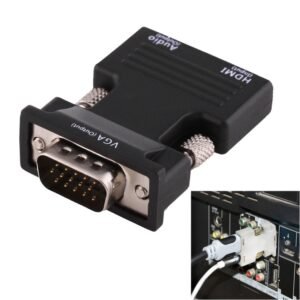
Female HDMI to VGA Male Adapter
HDMI to VGA conversion transforms digital signals into analog signals, transmitting the device’s HDMI signal to the VGA port of an older monitor.
When purchasing, users must clearly identify their source signal and target display device interface to select the correct directional converter.
Suppose you wish to transmit both audio and video simultaneously. You will need a converter with a VGA cable and a separate audio cable.
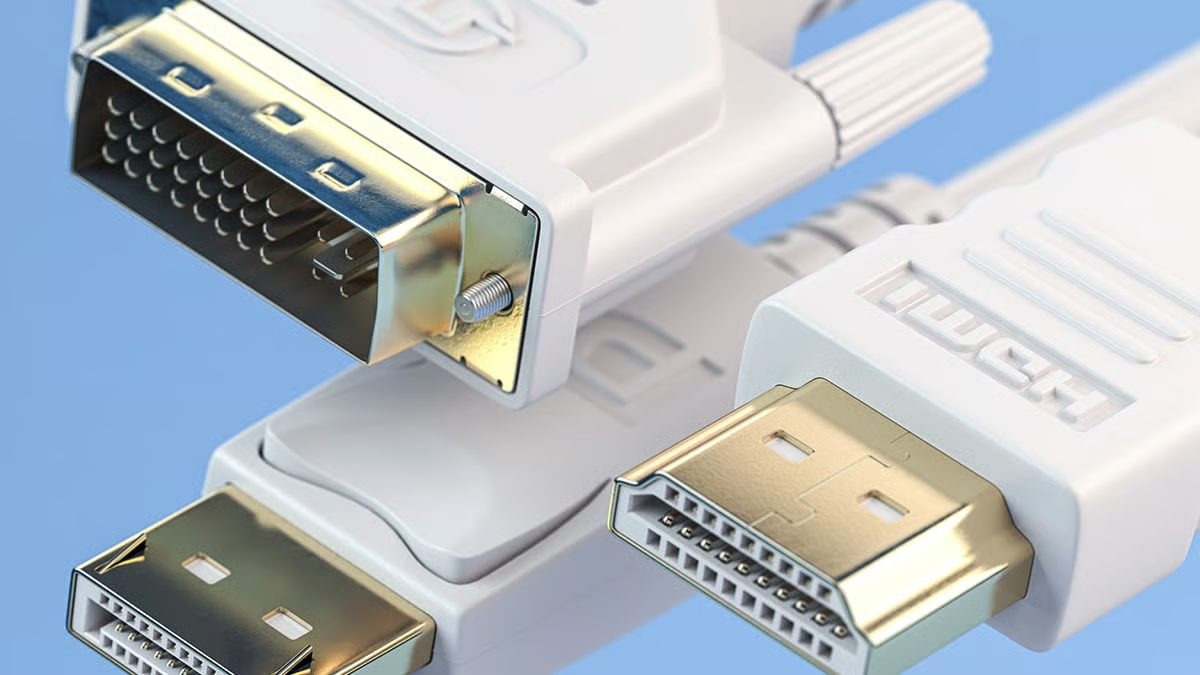
Now, a common question arises: How do you distinguish between male and female connectors? Their appearance shows clear distinctions.
- Male connectors or cables typically feature a protruding pin.
- Female connectors have a receptacle designed to accept the male pin.
Mini HDMI to VGA
With the proliferation of portable devices like tablets and digital cameras, mini HDMI ports have become commonplace.
Mini HDMI to VGA adapters connect these devices to traditional VGA projectors or monitors.
These devices require no power source, are simple to use, and facilitate seamless device conversion.
Conclusion
Understanding how VGA-to-HDMI converters function is essential for achieving lossless device compatibility.
We hope this comprehensive guide deepens your understanding of the digital world.
If you seek quick conversion solutions, this article provides optimal options and solutions. You may also contact JinHai for complimentary assistance.